


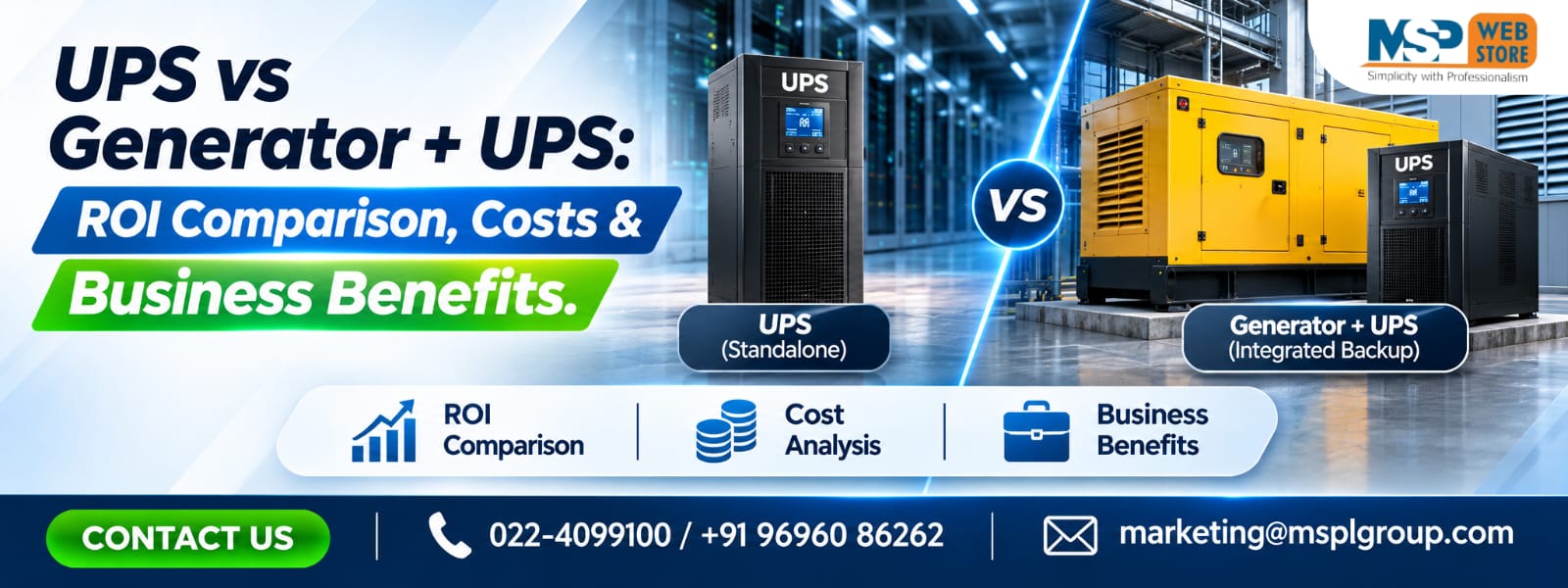
Introduction:
Choosing the Right Power Backup Strategy for Your Business
Power interruptions can create serious challenges for businesses, from unexpected production stoppages and server failures to financial losses and equipment damage. For organisations that depend on continuous electricity, choosing the right backup solution is not simply an equipment purchase; it is an important investment in business continuity.
Two commonly considered solutions are an Uninterruptible Power Supply (UPS) and a combination of a generator with a UPS system. Although both provide backup power, they serve different purposes. A UPS delivers immediate backup power when the main electricity supply fails, while a generator provides longer-duration electricity during extended outages.
For offices, manufacturing facilities, hospitals, IT infrastructure, warehouses and data centres, understanding the difference between UPS vs Generator + UPS is essential before making an investment.
At MSPL Group, we understand that every business has different power requirements, equipment loads and operational priorities. Selecting the right solution requires evaluating electricity consumption, outage frequency, backup duration, installation expenses, maintenance requirements and long-term operating costs.
This guide explains the differences between UPS and generator systems, compares their costs, explores return on investment (ROI), and helps businesses identify the most practical power backup strategy.
1. What Is a UPS System and How Does It Work?
A UPS (Uninterruptible Power Supply) is an electrical backup system that supplies temporary power to connected equipment when the main electricity supply fails.
Unlike a traditional generator, a UPS does not need time to start an engine. It uses stored battery energy to maintain power continuity and protect connected equipment from interruptions.
Key functions of a UPS system
- Provides immediate battery backup during power failures.
- Protects sensitive equipment against voltage fluctuations.
- Helps prevent unexpected shutdowns and data loss.
- Supports computers, servers, medical equipment and industrial control systems.
- Improves power quality through appropriate UPS technology.
Online double-conversion UPS systems are particularly useful for critical applications because they continuously convert incoming AC power to DC and back to AC, providing a regulated output.
Business benefit: A UPS helps businesses avoid interruptions during short power failures and provides enough time for an orderly shutdown or generator activation.
2. What Is a Generator + UPS Combination?
A generator + UPS combination is a backup power arrangement that uses both technologies to provide uninterrupted and extended electricity during power failures.
The UPS handles the immediate interruption, while the generator takes over once it starts and becomes ready to supply electricity.
For example, when the electricity supply fails:
- The UPS immediately switches to battery operation.
- The automatic transfer system initiates the generator.
- The generator starts and stabilises its electrical output.
- The system transfers the appropriate load to generator power.
- The UPS continues protecting sensitive equipment.
- When utility power returns, the system transfers back according to its control sequence.
This arrangement is particularly beneficial for businesses that cannot afford extended downtime.
Eaton's power management guidance explains that the UPS bridges the gap while a generator starts and becomes available.
3. UPS vs Generator: Understanding the Main Differences
Although UPS and generators both provide backup electricity, their operating principles, applications and financial requirements are different.
| Comparison Factor | UPS System | Generator + UPS |
| Power response | Immediate battery support | UPS supports generator starting period |
| Backup duration | Generally short | Extended, subject to fuel |
| Power conditioning | Available depending on UPS type | UPS provides conditioning |
| Fuel requirement | No generator fuel | Diesel, gas or other fuel |
| Installation | Comparatively simpler | More complex |
| Maintenance | Batteries and electrical components | Engine, fuel system, batteries and UPS |
| Noise | Generally quiet | Engine noise |
| Best application | Short outages and critical loads | Long outages and continuous operations |
| Initial investment | Generally lower | Generally higher |
The important distinction is that a generator is not a direct replacement for a UPS. A generator provides sustained electricity, whereas a UPS protects equipment from the interruption that occurs before generator power becomes available.
4. UPS vs Generator + UPS: Which Is More Cost-Effective?
Cost-effectiveness depends on how frequently power failures occur, how long outages last and how much money a business loses when electricity becomes unavailable.
A standalone UPS may be more economical for an office experiencing occasional short power interruptions.
However, a manufacturing facility experiencing frequent, extended outages may benefit from combining a UPS with a generator.
Consider these factors:
- Equipment purchase and installation expenses.
- Battery replacement and maintenance.
- Generator fuel consumption.
- Annual servicing expenses.
- Electricity consumption and operating efficiency.
- Downtime-related financial losses.
- Expected equipment lifespan.
A cheaper initial investment does not always mean lower ownership costs. Businesses should evaluate the total cost of ownership (TCO) over the expected operating life of the system.
5. Initial Installation Costs: UPS vs Generator + UPS
Initial investment is one of the first considerations when planning business power backup.
A standalone UPS generally requires a UPS unit, compatible batteries, electrical connections and installation.
A generator + UPS arrangement involves additional components, such as:
- Diesel or gas generator.
- Automatic transfer switch (ATS).
- UPS system and battery bank.
- Electrical distribution and protection.
- Generator foundation and ventilation.
- Fuel storage and safety arrangements.
- Installation, testing and commissioning.
| Cost Component | Standalone UPS | Generator + UPS |
| UPS equipment | Required | Required |
| Battery bank | Required | Required |
| Generator | Not required | Required |
| ATS | Usually not required | Usually required |
| Fuel infrastructure | Not required | Required |
| Installation complexity | Lower | Higher |
| Ongoing fuel expenses | None | Applicable |
Actual installation costs vary according to kVA capacity, backup duration, battery chemistry, generator rating, site conditions and electrical infrastructure.
MSPL Group recommendation: Before purchasing equipment, request a professional power assessment to determine the appropriate UPS capacity and backup configuration for your business.
6. Operating Costs: Fuel, Batteries and Maintenance
The long-term cost of a backup power system depends on more than its purchase price.
UPS operating expenses
A UPS requires regular inspection, battery health monitoring, cooling checks and preventive maintenance.
Battery replacement is an important lifecycle expense. Battery lifespan depends on chemistry, temperature, charging conditions, discharge frequency and operating environment.
Generator operating expenses
A generator introduces additional running costs, including:
- Diesel or gas consumption.
- Engine oil and filter replacement.
- Cooling system maintenance.
- Generator battery replacement.
- Periodic testing and servicing.
- Fuel storage and replenishment.
Combined system expenses
A generator + UPS solution requires maintaining both systems. However, it also offers a longer backup capability and can reduce losses caused by extended electricity interruptions.
Businesses should compare annual operating expenses with the financial impact of downtime before making a decision.
7. UPS vs Generator + UPS: ROI Comparison
Return on investment (ROI) measures how much financial value a business receives compared with its investment.
For backup power systems, ROI is primarily influenced by avoided downtime, protected equipment, reduced production losses and improved operational continuity.
A simple formula is:
\[ ROI(\%)=\frac{\text{Annual Net Benefit}}{\text{Total Investment}}\times100 \]
Where:
Annual Net Benefit = Annual financial losses avoided − Annual operating and maintenance costs.
Example of a business ROI calculation
Consider a manufacturing facility that experiences frequent power interruptions.
The following figures are illustrative assumptions, not market quotations.
| Particulars | Illustrative Amount |
| Annual downtime losses before backup | ₹12,00,000 |
| Losses avoided after backup installation | ₹10,00,000 |
| Annual maintenance and operating expenses | ₹2,00,000 |
| Annual net benefit | ₹8,00,000 |
| Total backup investment | ₹20,00,000 |
ROI:
ROI=8,00,00020,00,000100
Illustrative ROI: 40%
The simple payback period is:
Payback=20,00,0008,00,000
Payback period: 2.5 years.
The actual result will depend on outage frequency, generator fuel consumption, UPS efficiency, equipment loads and maintenance costs.
8. How Power Downtime Affects Business Profitability
Unexpected power failures can create financial losses that are much higher than the cost of installing a backup system.
For example, a manufacturing plant may lose production hours, raw materials and labour productivity during an outage.
A data centre may experience server interruptions, network downtime and potential service-level agreement penalties.
An office may face communication failures, interrupted customer support and delayed business operations.
Common downtime-related losses include:
- Lost sales and production.
- Damaged or wasted materials.
- Data loss and interrupted transactions.
- Equipment restart and recovery expenses.
- Employee productivity losses.
- Customer dissatisfaction.
- Contractual penalties.
A reliable backup strategy helps reduce these risks and supports smoother business operations.
9. Industry-Specific Applications: Where Is Each Solution Best?
Different industries have different electricity requirements. The right solution depends on the criticality of connected equipment and the expected duration of power interruptions.
| Industry | Recommended Backup Approach | Main Benefit |
| IT and data centres | Online UPS + generator | Server continuity |
| Manufacturing | Industrial UPS + generator | Production protection |
| Hospitals | UPS + standby generator | Critical equipment continuity |
| Commercial offices | UPS or UPS + generator | IT and communication protection |
| Warehouses | UPS + generator where required | Operational continuity |
| Banking and finance | Online UPS + generator | Transaction protection |
| Pharmaceutical facilities | UPS + generator | Process and equipment protection |
For example, a manufacturing facility may use a three-phase industrial UPS for PLCs, automation systems and control panels, while a generator supplies longer-duration power to essential plant equipment.
10. When Is a Standalone UPS the Better Investment?
A standalone UPS can be a practical choice when a business primarily needs immediate backup and protection against short-duration power interruptions.
It may be suitable for:
- Small and medium-sized offices.
- Retail stores.
- Computer laboratories.
- Network rooms.
- Small server installations.
- CCTV and security systems.
- Essential communication equipment.
A UPS is particularly valuable when even a momentary power interruption can affect business operations.
For example, a small office with computers, routers and communication equipment may not need a large generator if outages are infrequent and short.
The business can invest in a properly sized UPS with sufficient battery runtime instead.
11. When Should Businesses Choose Generator + UPS?
A combined system becomes more valuable when businesses require uninterrupted operations during longer electricity failures.
Consider this arrangement when:
- Your facility experiences frequent long-duration outages.
- Production equipment must remain operational.
- Servers and IT infrastructure operate continuously.
- Medical equipment requires dependable backup.
- Business operations cannot tolerate extended shutdowns.
- Your facility has critical cooling and ventilation requirements.
A generator provides sustained power, while the UPS maintains the continuity and quality of electricity supplied to sensitive loads.
For organisations with high downtime costs, this combination can provide significant operational and financial benefits.
12. Generator and UPS Sizing: Important Factors to Consider
Correct sizing is essential for achieving reliable backup performance. An incorrectly sized UPS may overload, while an undersized generator may struggle to support the connected equipment.
How to calculate UPS capacity
Start by identifying all equipment that requires backup power.
Consider:
- Total connected load in watts.
- Equipment power factor.
- Required backup duration.
- Starting current and load fluctuations.
- Future business expansion.
- Battery capacity and discharge requirements.
For example, if your critical equipment requires 20 kW, the UPS must be selected based on the required kW and kVA capacity, suitable power factor and additional engineering margin.
How to size the generator
Generator selection requires evaluating more than the UPS rating. Consider UPS rectifier characteristics, battery charging demand, motor starting currents, cooling loads and generator transient response.
There is no universal generator-to-UPS sizing multiplier. Manufacturer recommendations and engineering calculations should determine the final rating.
13. Battery Backup vs Generator Fuel Backup
Battery backup and generator fuel backup serve different purposes.
| Feature | UPS Battery | Generator Fuel |
| Energy source | Stored electrical energy | Diesel or gas |
| Response | Immediate | Requires starting |
| Runtime | Limited by battery capacity and load | Depends on fuel availability |
| Maintenance | Battery inspection and replacement | Engine and fuel maintenance |
| Noise | Silent operation | Produces operating noise |
| Best use | Immediate backup | Extended backup |
A UPS battery system is ideal for bridging short power interruptions, while generator fuel supports longer operating periods.
Combining both technologies creates a more comprehensive power backup arrangement.
14. Power Quality and Equipment Protection: Why UPS Matters
One major advantage of a UPS over a standalone generator is its ability to protect sensitive equipment against electrical disturbances, depending on its topology and specifications.
Common electrical problems include:
- Voltage fluctuations.
- Voltage sags and surges.
- Frequency variations.
- Electrical noise.
- Unexpected power interruptions.
An online double-conversion UPS provides regulated output and helps isolate sensitive loads from many incoming supply disturbances.
Generators, on the other hand, can experience voltage and frequency variations during starting and sudden load changes.
Therefore, proper generator and UPS compatibility is essential. Eaton highlights generator frequency, voltage regulation, UPS topology and load sizing as important considerations.
15. Generator + UPS Integration: Avoid These Common Mistakes
Installing a generator and UPS together does not automatically guarantee uninterrupted power. Both systems must be properly designed and coordinated.
Avoid these common mistakes:
1. Incorrect generator sizing: A generator that cannot handle the UPS input demand and connected loads may create operational problems.
2. Ignoring frequency compatibility: Unstable generator frequency may cause the UPS to reject the generator supply and continue operating on batteries.
3. Insufficient battery runtime: Battery capacity should cover generator startup, stabilisation, transfer and an appropriate safety margin.
4. Ignoring battery charging requirements: Generator capacity must account for the UPS load and battery recharge demand.
5. Poor maintenance planning: An untested generator or degraded UPS battery can compromise the entire backup arrangement.
6. No integrated testing: Both systems should be tested together under realistic operating conditions.
A professional installation and commissioning process helps reduce these risks.
16. Total Cost of Ownership (TCO): Looking Beyond Purchase Price
Total Cost of Ownership is the complete cost of purchasing, operating and maintaining equipment throughout its useful life.
Businesses should compare both solutions over the same evaluation period.
A practical TCO calculation includes:
TCO=CAPEX+OPEX+Replacement+Downtime Costs
Where:
- CAPEX: Initial purchase and installation.
- OPEX: Electricity, fuel and maintenance.
- Replacement: Batteries and other components.
- Downtime Costs: Financial losses associated with interruptions.
Illustrative five-year cost comparison
The following example uses hypothetical figures to demonstrate how businesses can evaluate different backup solutions.
| Cost Component | UPS Only | Generator + UPS |
| Initial investment | ₹5 lakh | ₹20 lakh |
| Five-year operating expenses | ₹2 lakh | ₹8 lakh |
| Battery and component replacement allowance | ₹2 lakh | ₹3 lakh |
| Total five-year cost | ₹9 lakh | ₹31 lakh |
These figures are illustrative only. They do not represent actual product prices or quotations from MSPL Group.
Although the combined system has a higher initial and operating cost, it may deliver greater financial value when prolonged outages create substantial business losses.
Important: A meaningful TCO comparison must also account for the downtime costs avoided by each system.
17. How to Choose the Right Power Backup Solution for Your Business
Before investing in a UPS or generator + UPS system, evaluate your facility's actual operating requirements.
Use this checklist:
- Assess your total connected electrical load.
- Identify critical and non-critical equipment.
- Review the frequency and duration of power failures.
- Calculate the required backup runtime.
- Evaluate battery replacement expenses.
- Estimate generator fuel consumption.
- Check the available installation space.
- Consider future capacity expansion.
- Evaluate maintenance and service availability.
- Compare total lifecycle costs and expected ROI.
For small businesses, a standalone UPS may be sufficient. For industrial facilities and mission-critical environments, a combination of online UPS and generator backup may provide better protection.
18. Why Choose MSPL Group for Business UPS and Power Backup Solutions?
Selecting the right power backup equipment requires technical understanding, proper load assessment and reliable after-sales support.
MSPL Group (Mahavir Sys-Power Pvt. Ltd.) helps businesses identify suitable UPS solutions for commercial, industrial and critical power applications.
Whether you need an online UPS for a server room, a three-phase UPS for manufacturing operations or a reliable backup arrangement integrated with a generator, selecting the right configuration is essential.
MSPL Group can help businesses with:
- UPS selection and capacity assessment.
- Industrial and commercial UPS solutions.
- Online and three-phase UPS systems.
- UPS installation and commissioning.
- Battery replacement and maintenance.
- Annual Maintenance Contracts (AMC).
- UPS repair and technical support.
- Power backup consultation.
The objective is to help businesses reduce downtime risks, protect critical equipment and make informed investments in reliable power infrastructure.
Need the Right UPS Solution for Your Business?
Get expert guidance from MSPL Group to evaluate your power requirements, compare backup options and identify a suitable UPS configuration.
Contact: +91 08048128715
Website: mspwebstore.com
19. Future-Proofing Your Business with Reliable Power Backup
Business electricity requirements continue to evolve as organisations adopt automation, cloud computing, AI applications and advanced manufacturing technologies.
These developments increase the importance of reliable electrical infrastructure.
Businesses should consider scalable UPS systems, intelligent battery monitoring, remote monitoring capabilities and modular UPS architecture when planning future expansion.
A scalable system can help organisations increase backup capacity as their electrical requirements grow, without unnecessarily replacing their entire power infrastructure.
Investing in a properly planned UPS and generator arrangement today can support long-term operational resili
FAQs
1. What is the difference between a UPS and a generator?
A UPS provides immediate battery-based backup and power conditioning, while a generator produces electricity for extended periods using fuel. A UPS is suitable for short interruptions, whereas a generator supports longer outages.
2. Is a UPS better than a generator for business use?
A UPS is better for immediate power protection and sensitive equipment. A generator is better for extended backup. Businesses with critical operations may benefit from using both.
3. Why should businesses use a generator with a UPS?
A generator with a UPS provides immediate backup during generator startup and longer-duration electricity after the generator becomes operational. This combination helps prevent interruptions to critical equipment.
4. Which is more cost-effective: UPS or generator + UPS?
A standalone UPS generally requires less initial investment. A generator + UPS costs more because of additional equipment, installation and fuel expenses. However, the combined system may offer better ROI for businesses experiencing frequent, lengthy outages.
5. How do I calculate the ROI of a UPS system?
Calculate the annual financial losses avoided through reduced downtime, subtract annual operating and maintenance expenses, and divide the resulting net benefit by the initial investment. Multiply by 100 to get ROI percentage.
6. How long can a UPS provide backup power?
UPS runtime depends on battery capacity, connected load, battery condition and operating temperature. Some systems provide only a few minutes, while appropriately designed battery configurations can provide longer backup.
7. Can a generator run a UPS system?
Yes. A generator can supply power to a compatible UPS system. However, voltage, frequency, generator capacity, UPS charging requirements and load characteristics must be properly evaluated.
8. Which UPS is suitable for industrial applications?
Online three-phase UPS systems are commonly used for industrial applications requiring regulated power and continuous protection for sensitive equipment, automation systems and control panels. The correct capacity depends on the actual load.
9. Does a generator eliminate the need for UPS batteries?
No. The UPS batteries remain essential because they provide immediate power while the generator starts and the transfer system operates.
10. Where can businesses get professional UPS consultation in India?
Businesses can contact MSPL Group for UPS consultation, capacity assessment, installation, maintenance and power backup solutions.
Conclusion: Which Backup Solution Offers Better ROI?
Choosing between a UPS and a generator + UPS system depends on your business's power requirements, outage frequency, operational priorities and financial considerations.
A standalone UPS is a practical investment for businesses that need immediate backup and protection against short-duration power interruptions. However, organisations that require extended backup and continuous operations may benefit from combining a UPS with a generator.
Although the combined solution involves higher initial investment and maintenance expenses, it can help minimise costly downtime, protect critical equipment and improve business continuity.
The smartest approach is to evaluate the total cost of ownership rather than focusing only on equipment prices.
MSPL Group helps businesses make informed power backup decisions through suitable UPS solutions, technical consultation, installation and maintenance support.
Protect your business operations today with a power backup strategy designed for long-term reliability.

0 Comments
Leave a Reply